Build Your Online Exam in Minutes
Register, join or create your community, and launch a professional exam without any technical knowledge. Simple. Fast. Reliable.
The Complete Exam Creation Flow
Every step is clearly laid out so you can create an exam without any confusion or guesswork.
Account Access
Verify your email with an OTP or sign in with Google instantly.
Profile Setup
Enter your name, professional title and contact number. Fill it once and it's saved forever.
Choose Community
Join an existing community or create a new one with name, industry and location.
Create Your Exam
3-step wizard: Basic Info → Questions → Settings. Easy and structured.
Publish & Share
Publish and copy the unique link. Students can take the exam from any device.
Attempt Exams Inside Teams
No browser switching. InteliQuizer's bot lives right inside Teams — search, add, and start your exam in under a minute.
Open the Apps store in Teams
Launch Microsoft Teams and click the Apps icon on the left sidebar to open the app marketplace.
Teams sidebar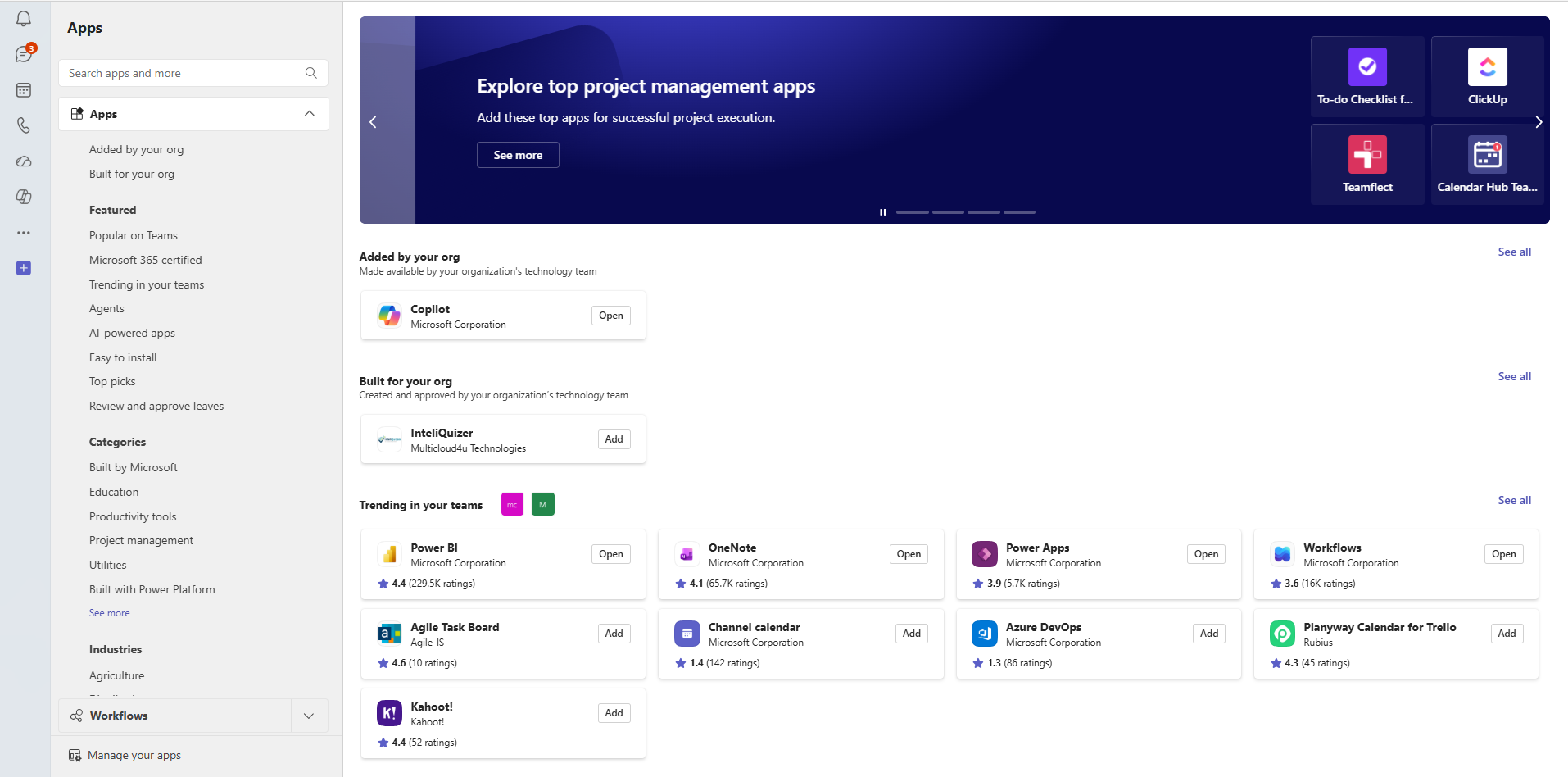
Search for InteliQuizer
Type InteliQuizer in the search bar. Look for the app listed under Multicloud4u Technologies.
Search bar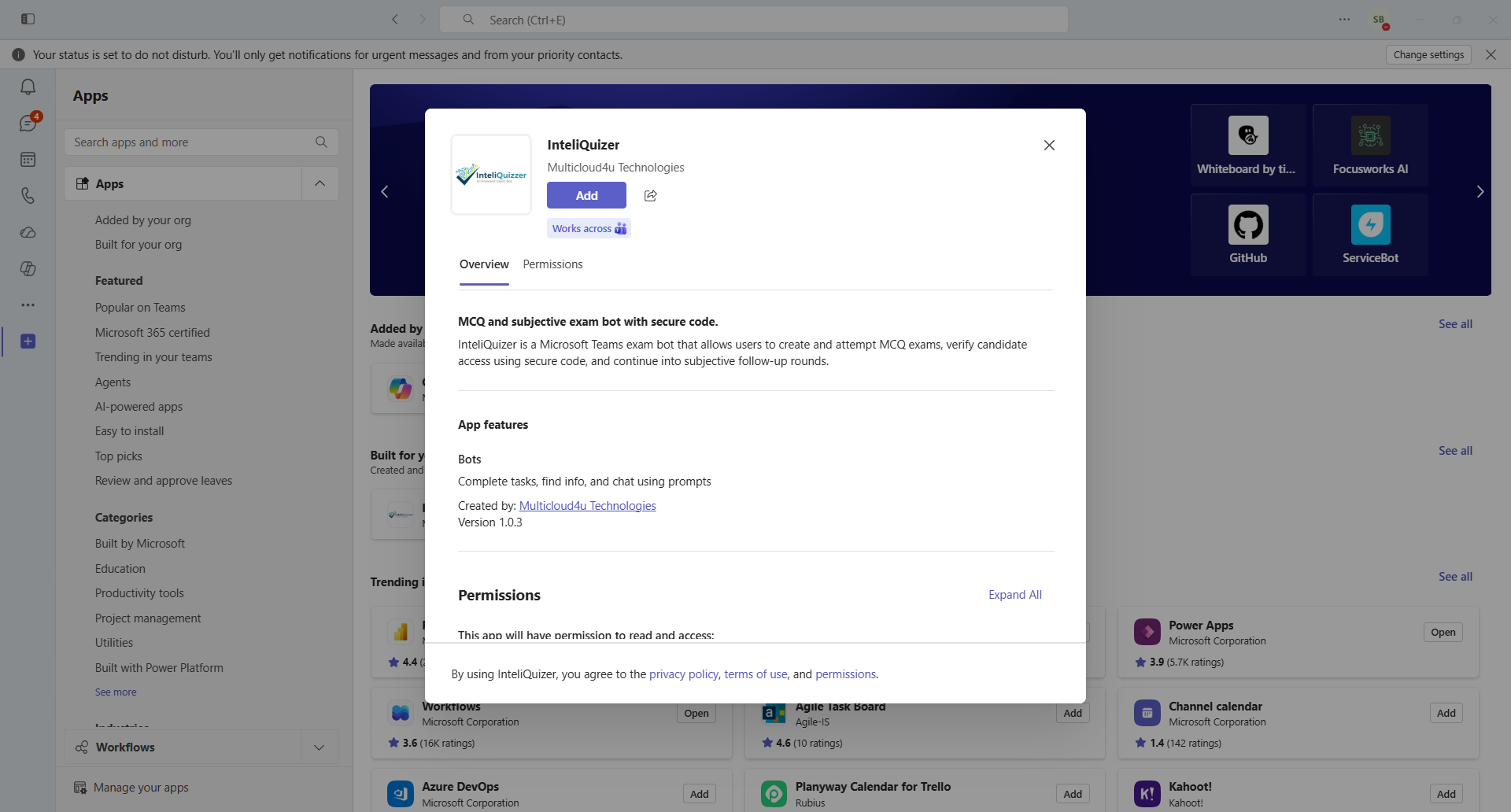
Click Add to install the bot
Hit the Add button on the InteliQuizer app card. It installs instantly — no setup or config required.
One-click install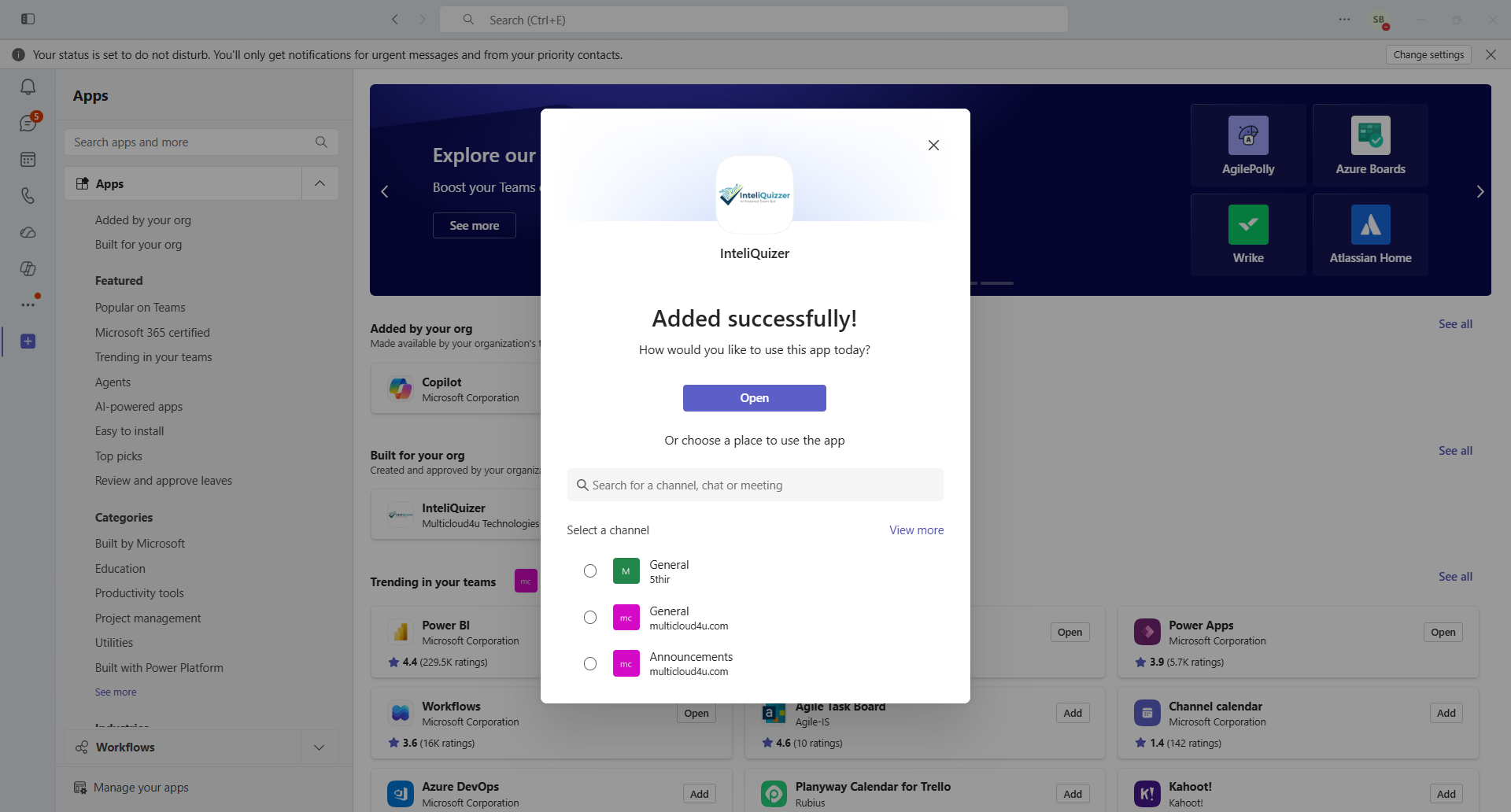
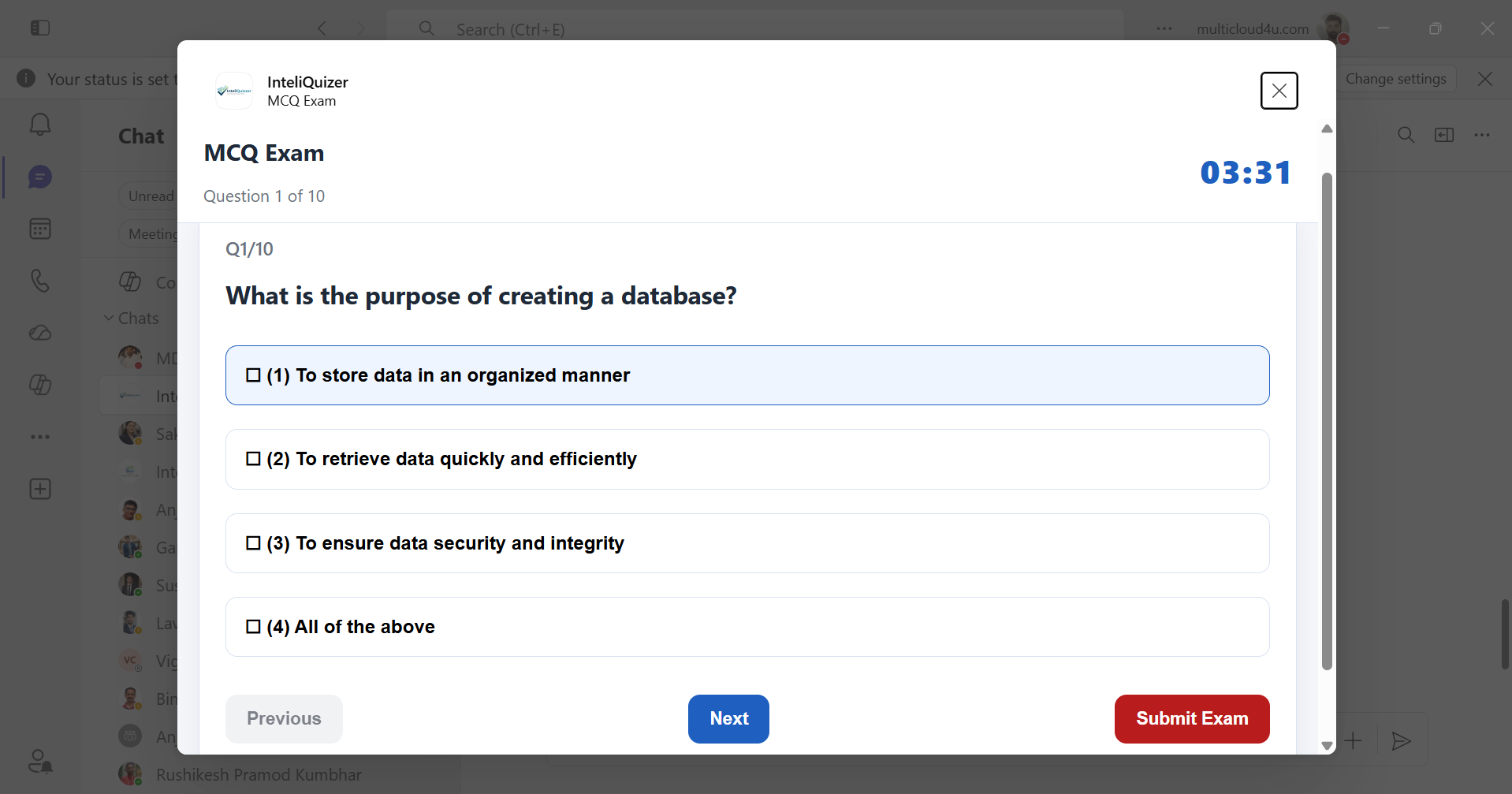
Enter your code and start the exam
The bot opens directly in Microsoft Teams. Sign in with your exam-invited email and complete your MCQ or subjective assessment without leaving the app.
Exam bot ready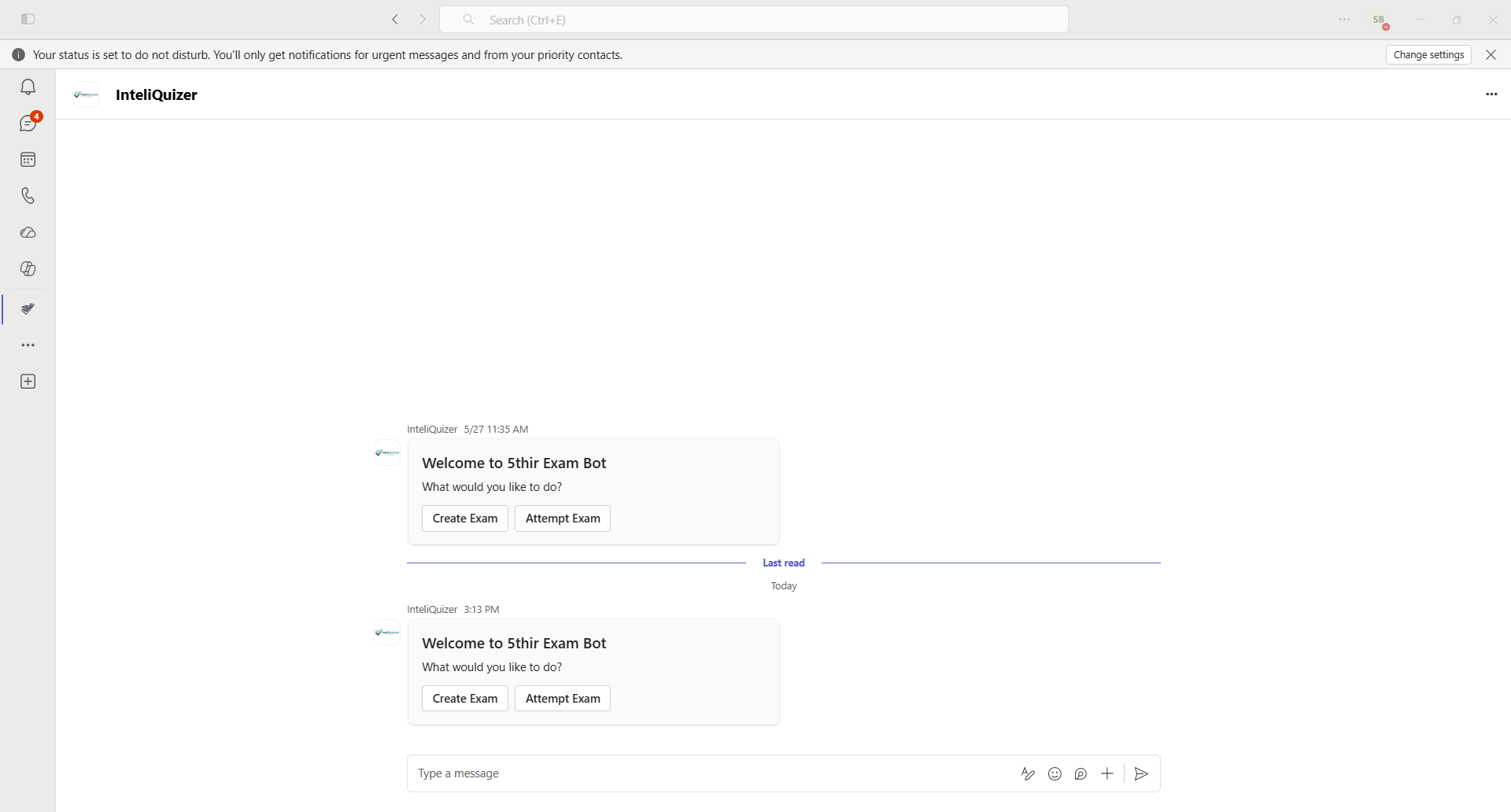
Built for Every Educator
Trusted by thousands of teachers, trainers and institutions. The reason is obvious.
Super Fast Setup
Your first exam goes live in under 5 minutes. No training required.
Mobile Friendly
Students can attempt exams on any device — phone, tablet or desktop.
Instant Analytics
Get detailed performance reports and rankings right after the exam.
Anti-Cheat Protection
Tab-switch detection, question shuffling and time tracking ensure fairness.
Create Your First Exam Today
Create a free account, join your community, and publish your first exam in under 5 minutes.
Completely Free · No Credit Card · Instant Setup
Sign in to CertifyPro
Access your organisation dashboard.
or with email
No account? Register your organisation
Register Organisation
Create your account in minutes.
Already registered? Sign in